Trucksafe (trucksafe.com) is eRegs' sister platform offering professional video courses, articles, and podcasts on FMCSR compliance. eRegs integrates this content directly into the regulation reader through the Insights panel.
Opening the Insights panel
While viewing any regulation section, tap the lightbulb icon in the top navigation bar. The Insights panel slides open on the right (desktop) or as an overlay (mobile).
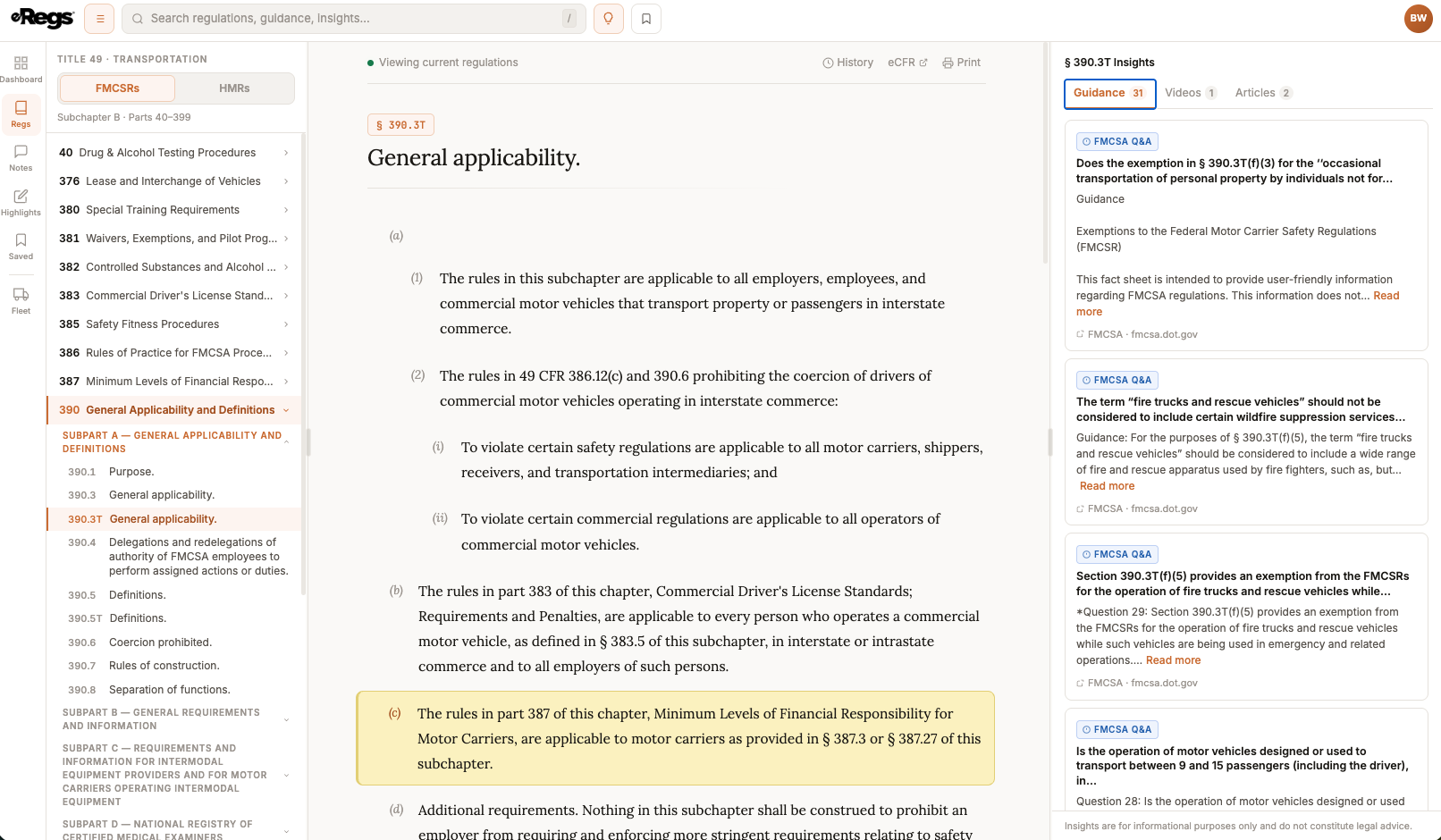
Three content tabs
Guidance
Official Q&A responses from the FMCSA that clarify how a regulation section should be interpreted or applied. If you have the Hazmat add-on enabled and are viewing an HMR section, this tab shows PHMSA Letters of Interpretation instead.
Videos
Trucksafe educational videos relevant to the section you are reading. Each video shows a thumbnail, title, and duration. Tap to watch directly within eRegs.
Articles & Podcasts
Written articles and podcast episodes from Trucksafe that cover the topic in depth. Articles open inline; podcasts play in an integrated audio player.
How content is mapped to sections
Every piece of Trucksafe and guidance content is tagged with the specific regulation section(s) it relates to. The Insights panel automatically shows only the content that applies to the section you are currently reading.
Requesting content
If a section does not have any guidance, videos, or articles yet, you will see a prompt to request content. Tap it to let the eRegs team know you would find coverage of that section valuable.