eRegs is a Progressive Web App (PWA). You can install it directly to your home screen for a full-screen, app-like experience — no app store required.
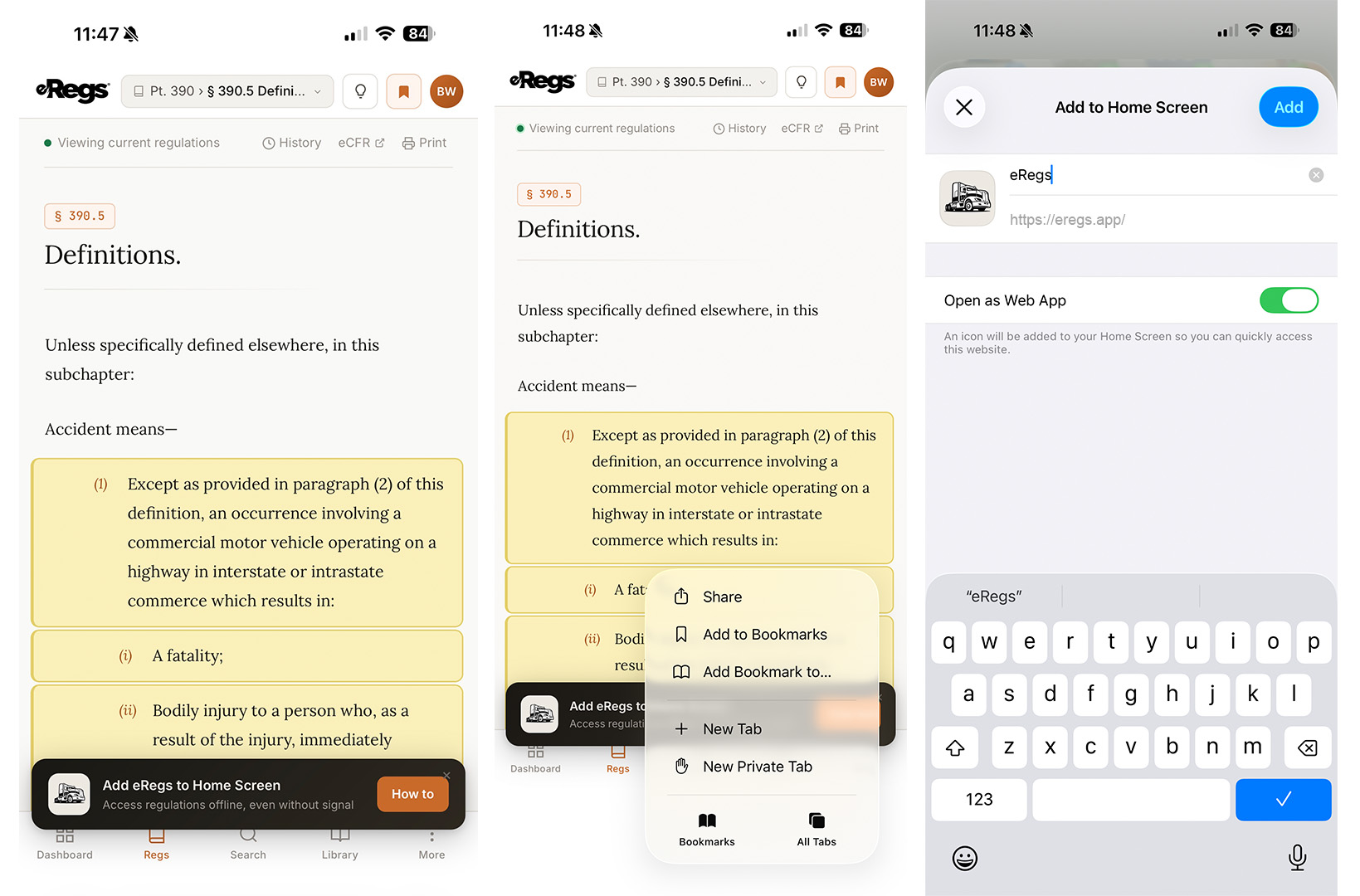
iPhone / iPad (Safari)
- Open eregs.app in Safari.
- Tap the Share button (the square with an upward arrow).
- Scroll down and tap Add to Home Screen.
- Tap Add in the top-right corner.
The eRegs icon will appear on your home screen. Tapping it opens eRegs in full-screen mode without the Safari browser chrome.
Android (Chrome)
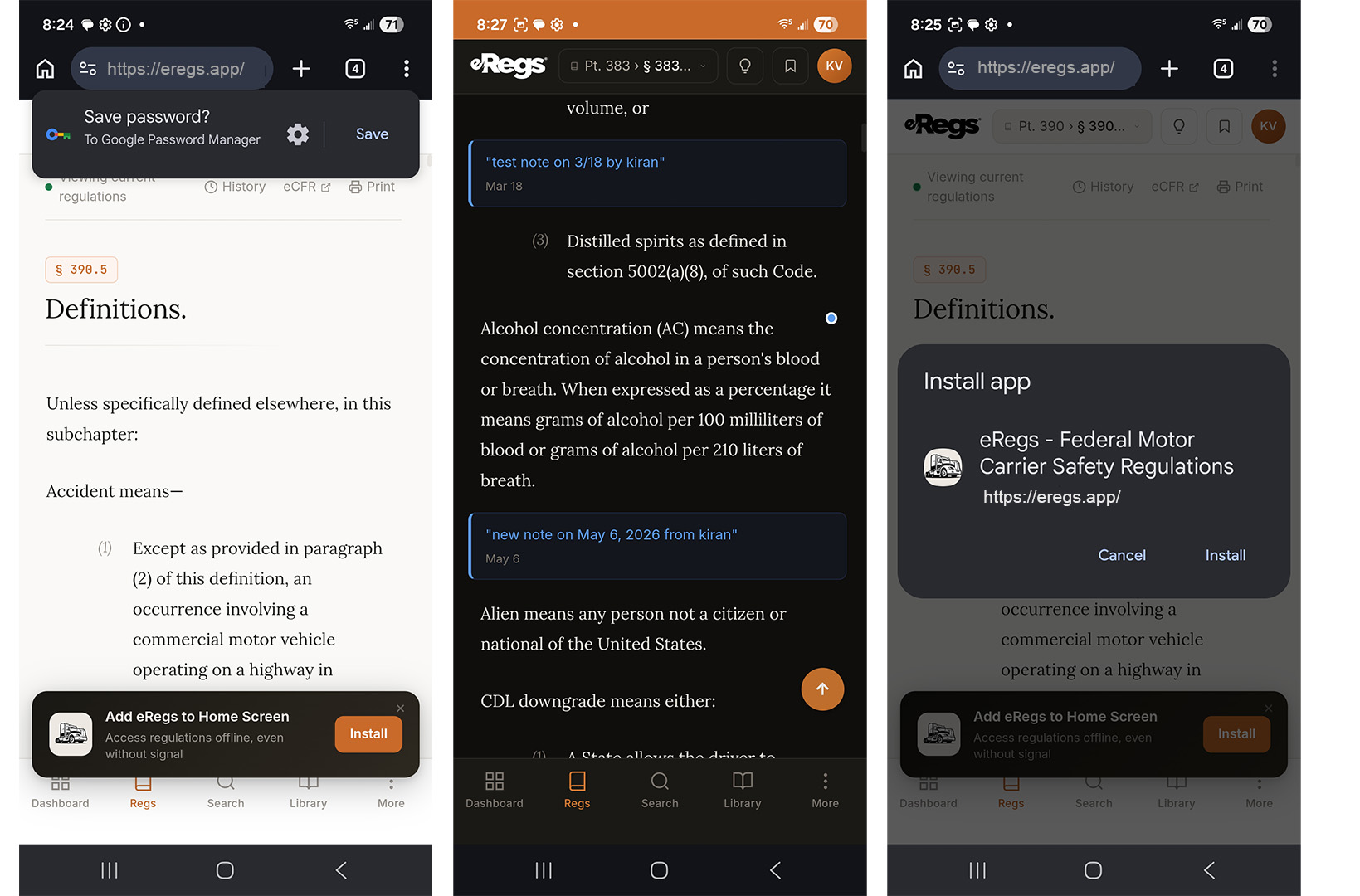
- Open eregs.app in Chrome.
- If an install banner appears at the bottom of the screen, tap Install.
- If no banner appears, tap the three-dot menu in the top-right corner and select Add to Home screen, then tap Install.
Installing from within eRegs
On mobile, tap More in the bottom navigation bar, then tap Install App. This triggers the same install flow as the methods above.
Benefits of installing
- Quick access — launch eRegs from your home screen like any other app.
- Full-screen experience — no browser address bar or tabs taking up space.
- Offline access — read regulations without an internet connection (see Downloading Regulations for Offline Access).
- Faster loading — cached assets make the app feel instant.